aval Workspace
Get your paperworkready to send.
Everything a document needs before you send it, in one place, and nothing lost along the way.
Without an account your documents are kept for 24 hours; sign in with Google, LinkedIn or GitHub to keep them.
01 · On upload
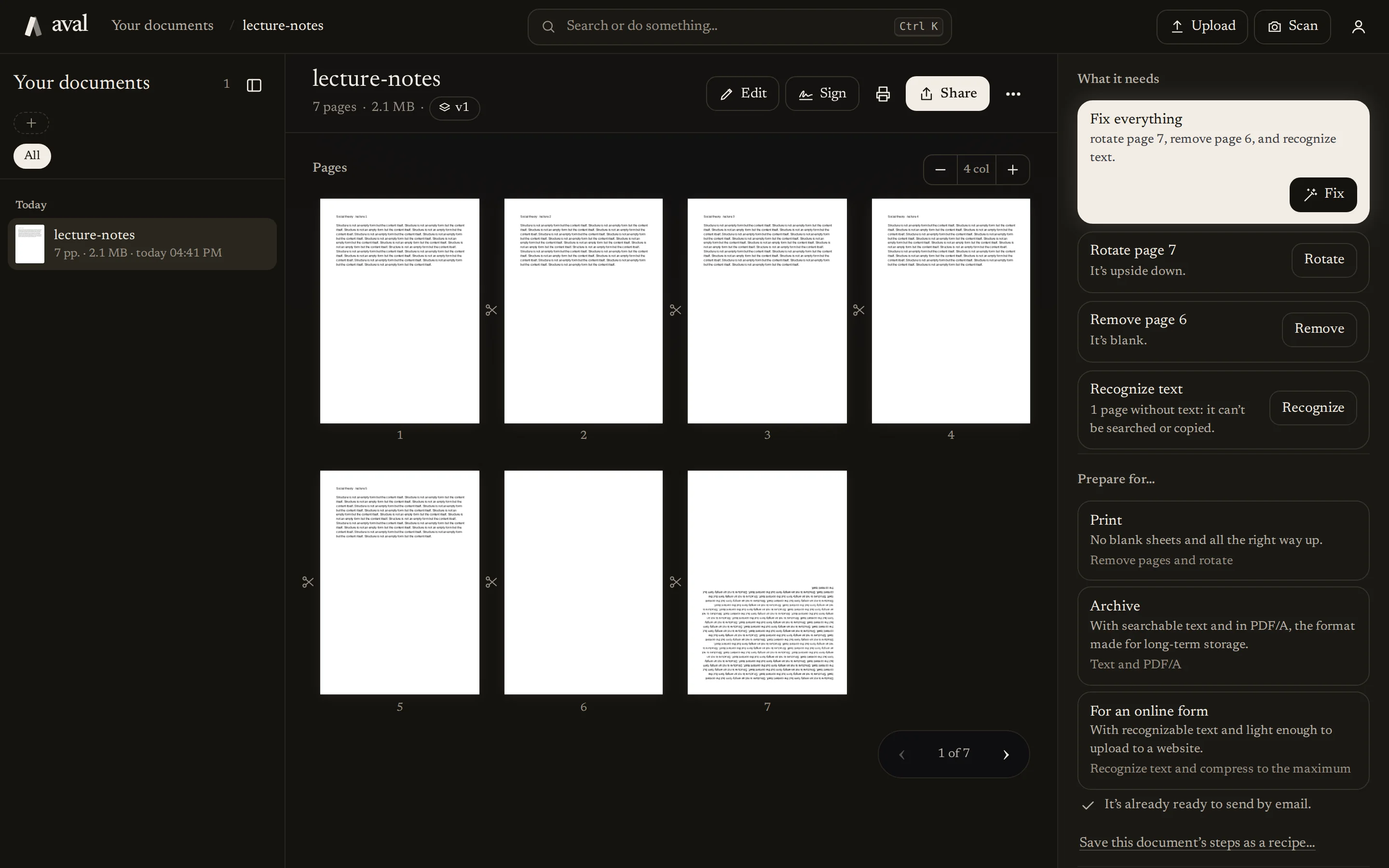
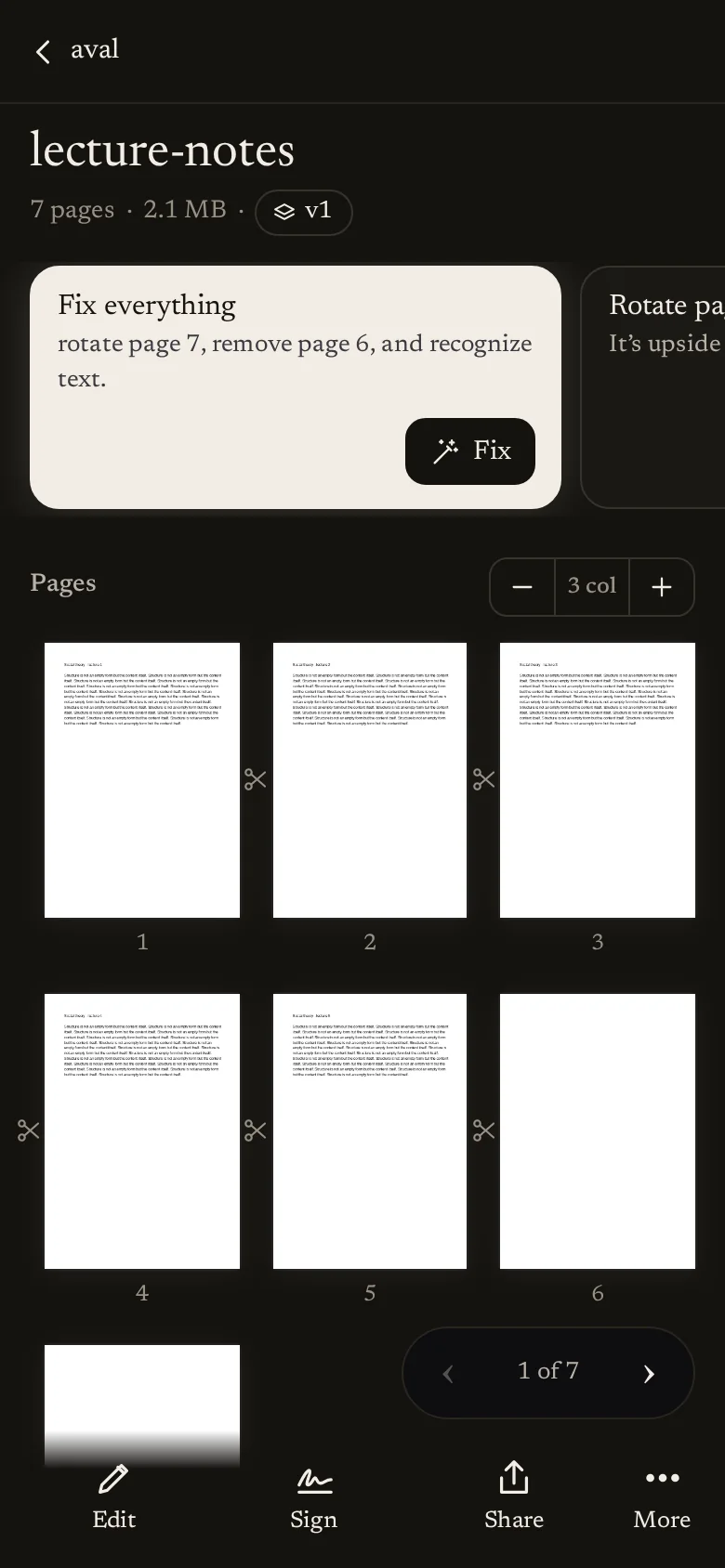
Every document gets a check-up.
Upload a PDF, a photo or an Office file and the inspector lists what it found, each item with its fix. Fix everything applies them in order, and every step can be undone.
02 · Scan
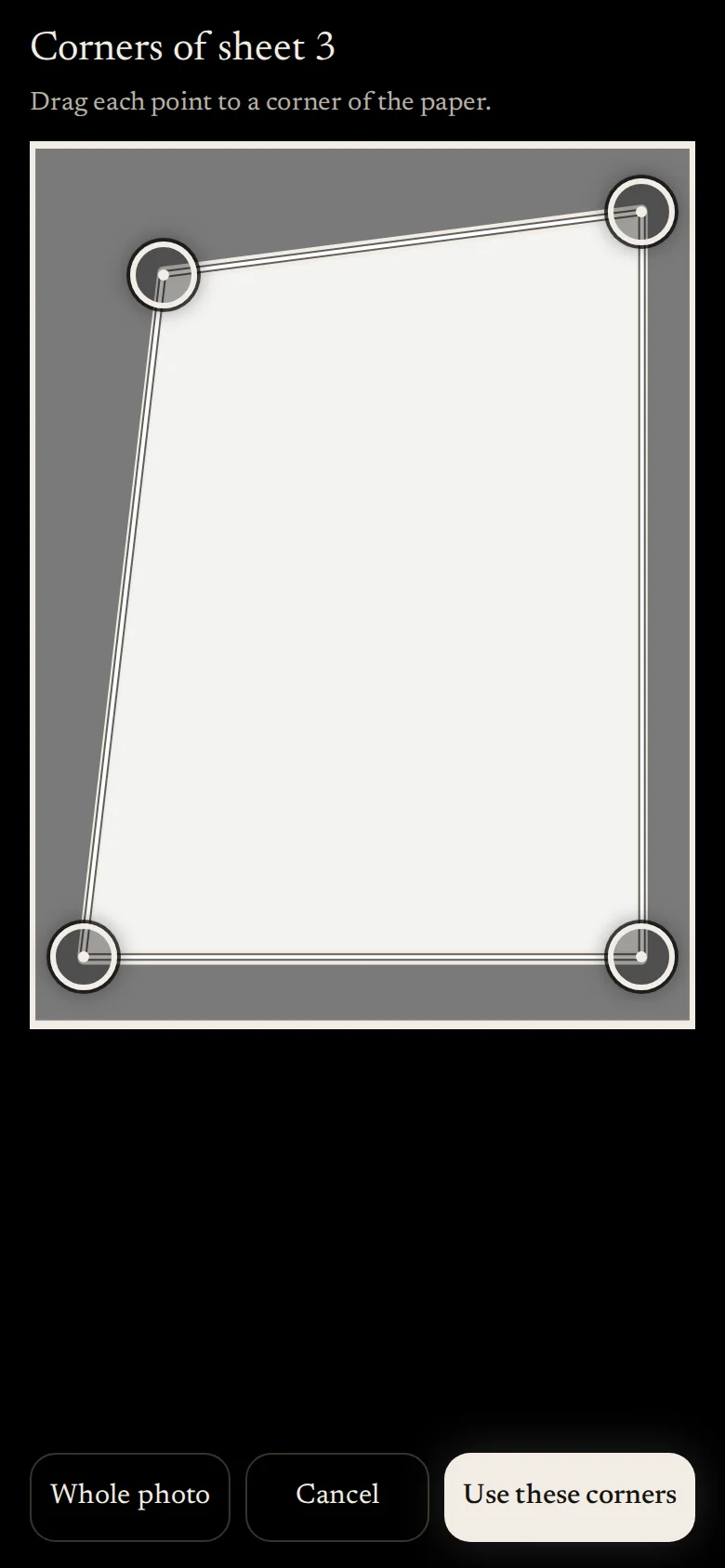
Your phone is the scanner.
Take the pictures one after another and adjust the corners if needed. The text is recognized automatically, so you can search it later.
03 · Edit and sign
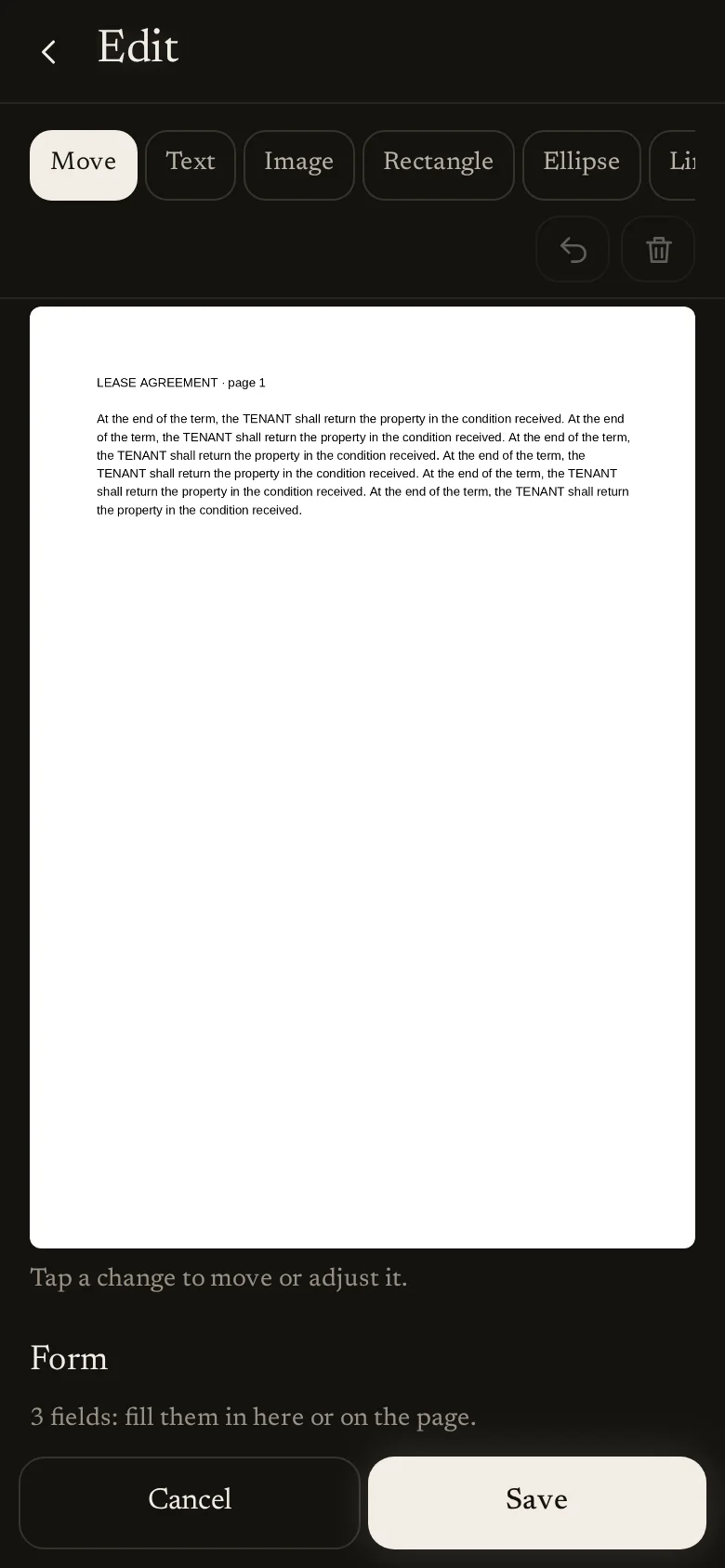
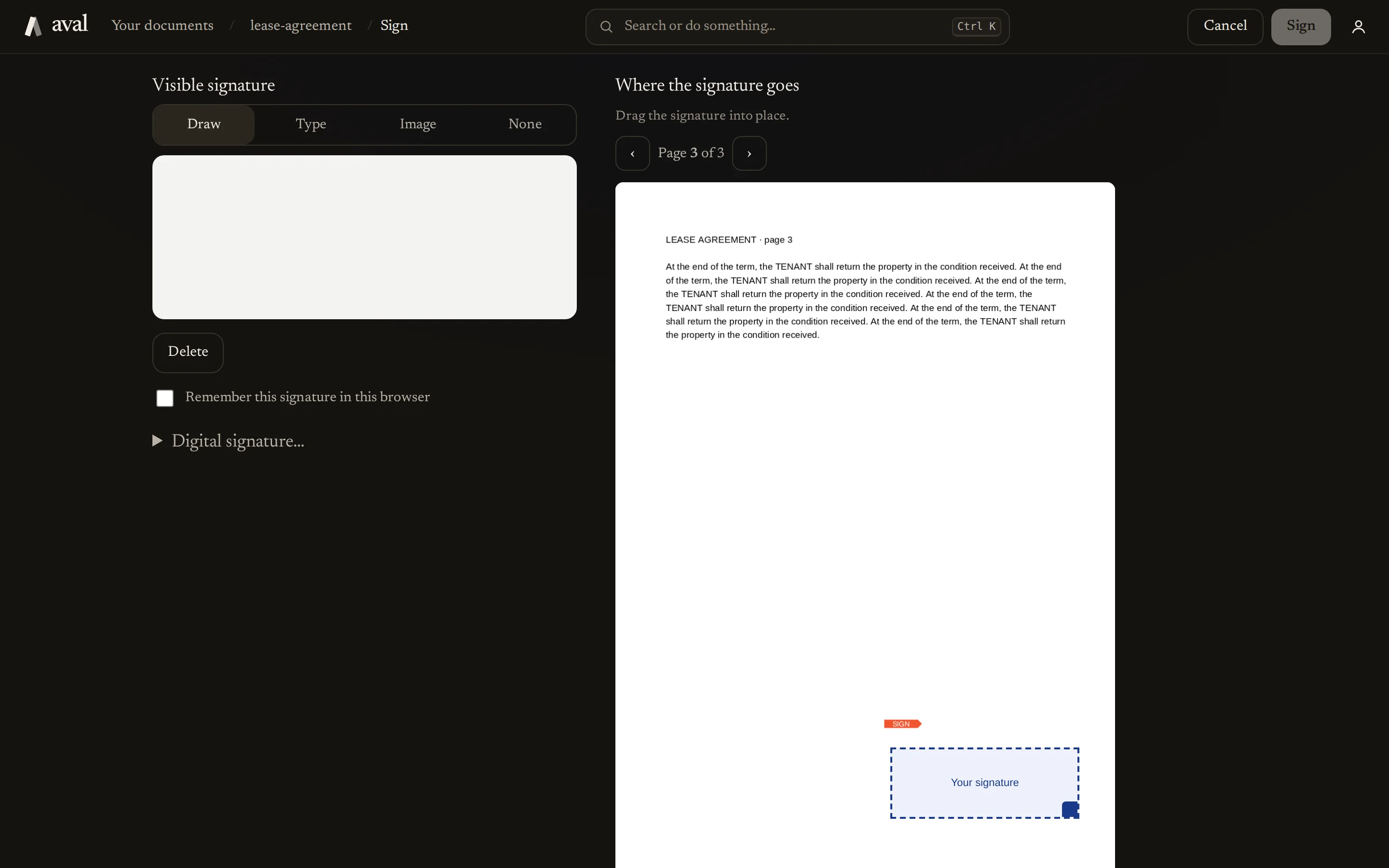
Changes go inside the document.
Write in eight typefaces and highlight word by word. Redacting really removes the text: in many tools, covered text stays underneath and can still be copied. Sign by drawing, typing, or with your digital certificate.
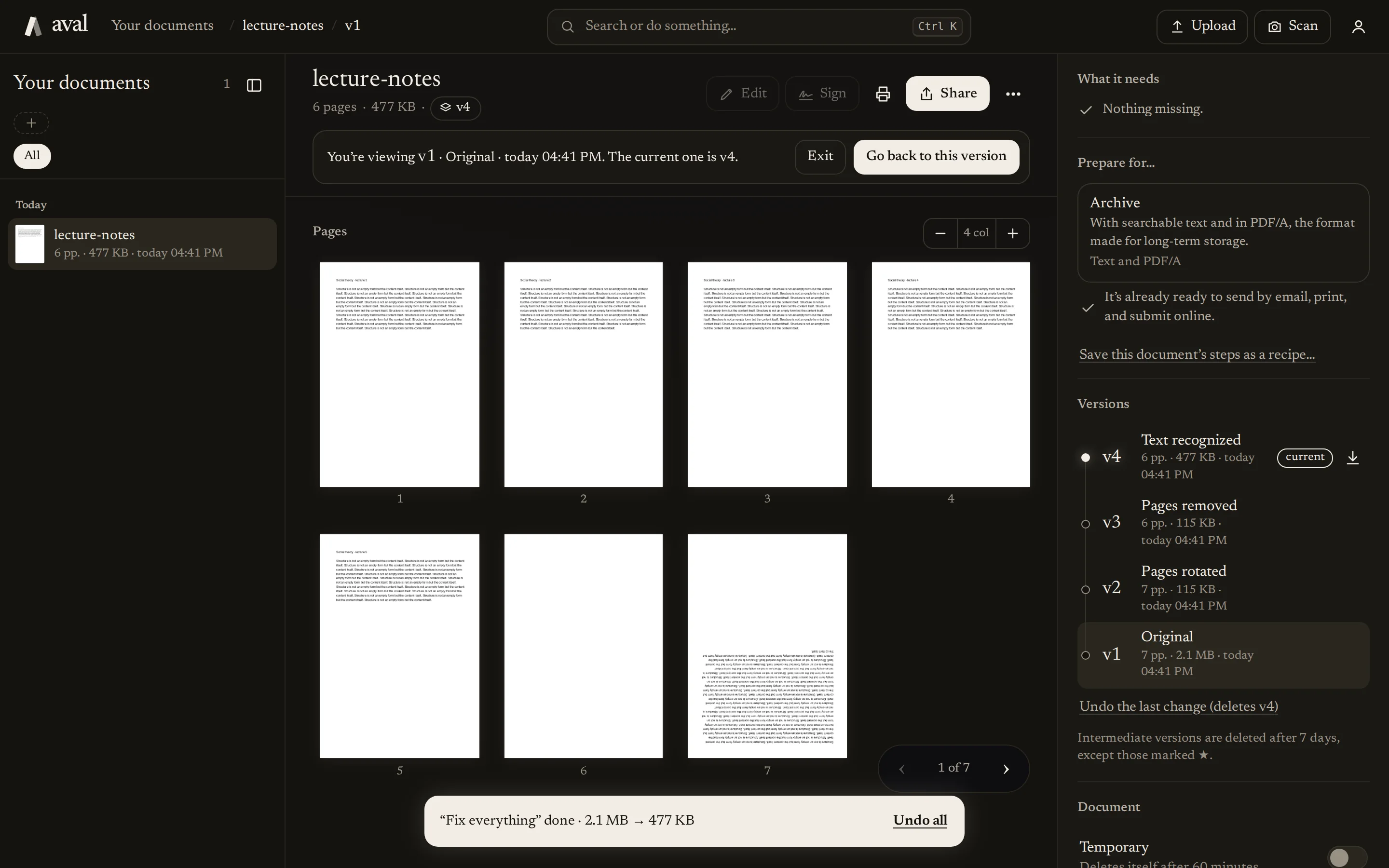
Nothing gets lost.
Undo, go back to an earlier version, and star the ones you want to keep.
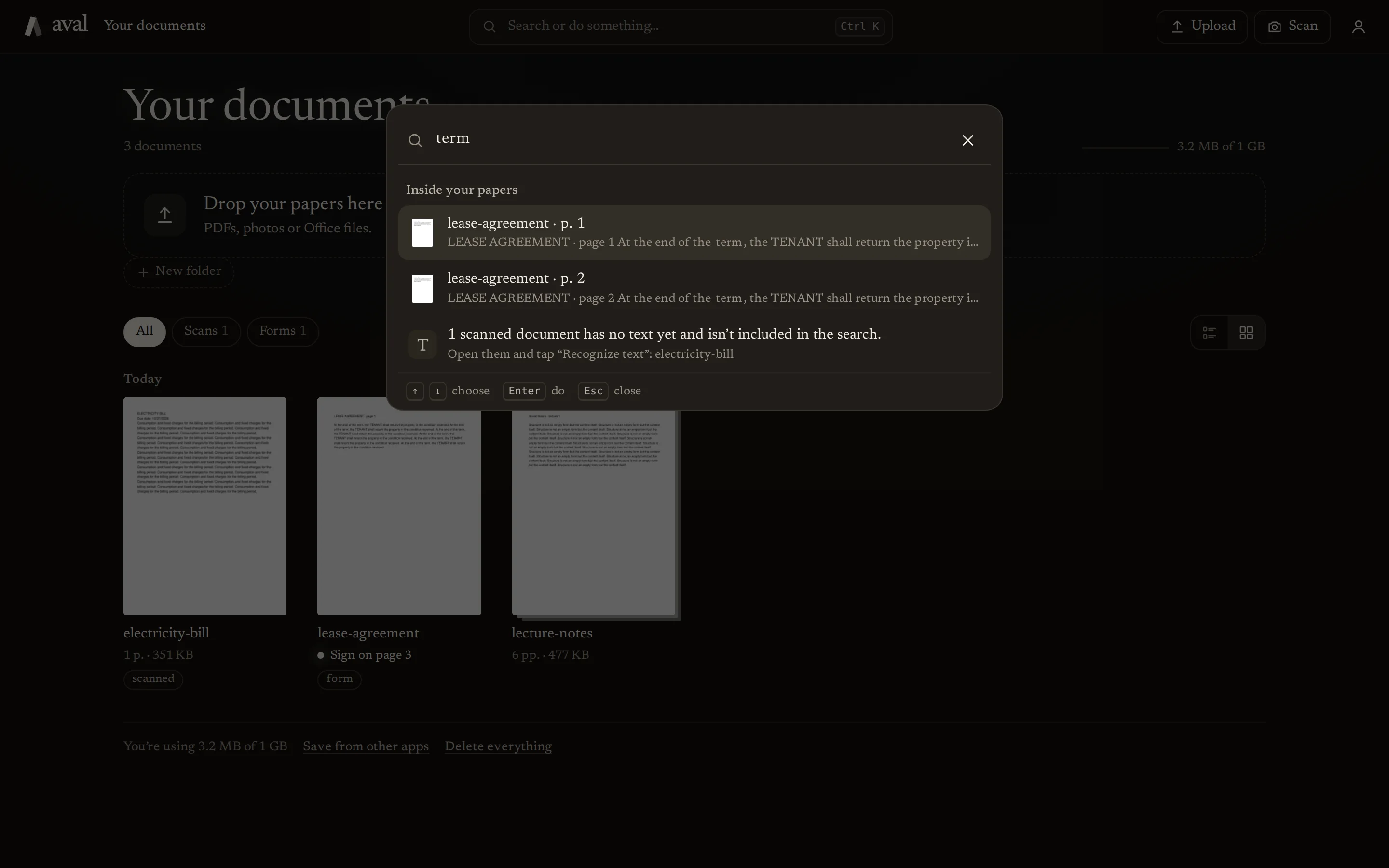
Search inside your papers.
Find a word in any document, scanned ones included, with or without accents.
Everything in its folder.
What comes out of a document, like an extracted page, stays in the same folder.
Ready for where it's going.
Prepare it for email, for printing, for archiving as PDF/A, or for a government form.
All the tools
- Scan
- Text recognition (OCR)
- Edit
- Sign
- Verify signatures
- PDF to Word
- Word, Excel or PowerPoint to PDF
- Merge
- Split
- Organize pages
- Extract pages
- Delete pages
- Rotate
- Compress
- Password protect
- Remove password
- Watermark
- Page numbers
- Crop margins
- PDF to images
- Images to PDF
Details
- Price
- Free.
- Devices
- Computer and phone, in the browser. It can be installed as an app.
- Storage
- 1 GB per account; 200 MB without one.
- Formats
- PDF, Word, Excel, PowerPoint and images.
- Security
- Files encrypted with AES-256-GCM, a key per account. Everything over https.
- Languages
- English, Spanish, Ukrainian and Russian.
- Account
- Optional. Without one, documents are kept for 24 hours; with Google, LinkedIn or GitHub, they stay.
- Hosting
- Dedicated, private servers, used only by aval.
Questions
Does it cost anything?
Not right now: aval Workspace is free, all the tools included.
Do I need an account?
No. Try it without one: your documents are kept for 24 hours. If you sign in with Google, LinkedIn or GitHub before then, they move to your account.
Do I need to install anything?
No. It works in the browser on a computer or a phone. If you want, you can add it to your home screen and it opens like an app.
Who can see my documents?
Only you. Each account sees only its own documents, and files are stored encrypted with your account's key.
What happens if I delete something by mistake?
Each document keeps its versions: you can undo or go back to an earlier one. The first version, the current one and the ones you star are always kept.
Is the signature legally valid?
aval can place a visible signature (drawn, typed or from an image) and, if you have one, a digital signature with your .p12 certificate. Which one a procedure accepts depends on the procedure and the country.
Upload your first document.
It's free. Try it without an account, or sign in with Google, LinkedIn or GitHub to keep your documents.
Try it free, no account See the other products